Your brand.
Your content studio.
From brand knowledge and product data to publishing. Built around your business, delivered with source code.
Explore the studioContents
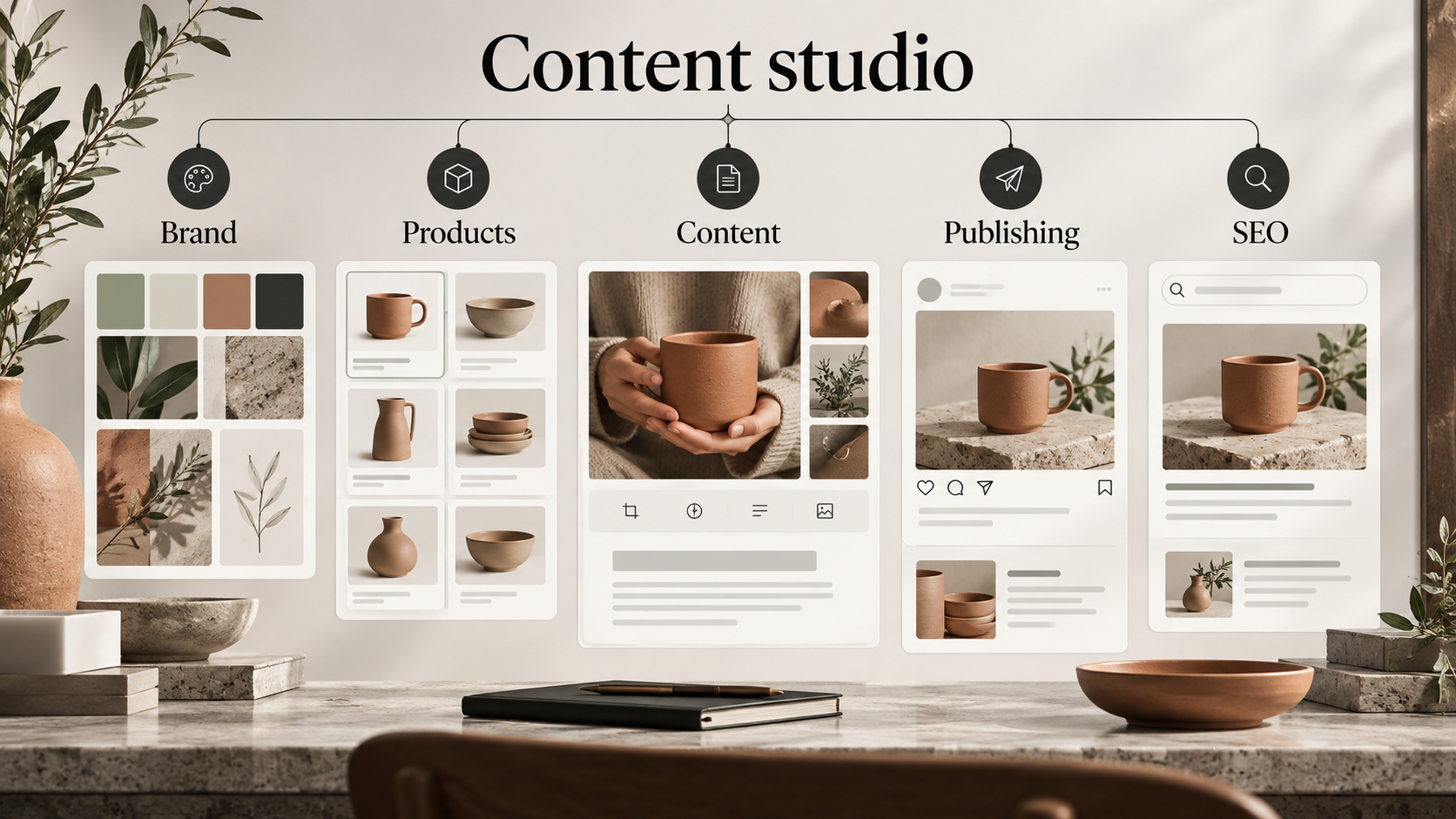
Content starts with your business.
Bring brand knowledge, product information and publishing into a connected working process.
A business needs many kinds of content: social posts, seasonal product selections, short videos and articles for its website. Each has a different format, but all should represent the same company. The studio connects these activities through a shared brand profile, recorded facts and a visible path from an initial idea to a published result.
Three workstreams form the core: social content, creative production from product data, and SEO articles. Start with one recurring task and introduce the others as part of implementation. A seasonal retail selection can draw on product data while a campaign and a related article carry the same communication objective into other formats.
The commercial value lies in adapting this combination to your operation and delivering a project your business can maintain. Your team prepares assets, reviews the result, chooses a publishing destination and continues development with a maintenance partner of its choice. A shared process reduces repeated information transfer and makes responsibility for each piece of content easier to establish.
- Shared brand knowledge and facts
- Three connected content workstreams
- Project and source-code handover
Three workstreams. One brand context.
- Social content
- Ideas, creative assets, platform variants and publishing schedules.
- Product content studio
- Structured product data, selection, compositions and campaign drafts.
- SEO articles
- Articles, metadata, translations and content on your website.
Made for an ongoing content operation.
For e-commerce businesses, brands and marketing teams with a regular publishing workload.
In e-commerce, content often starts with a changing assortment. A new collection, seasonal products and price changes create work for marketing. The studio uses existing product information to prepare assets for a selected range, maintaining a practical relationship between the source records and the resulting communication.
For a brand or design business, consistency of voice and creative direction matters just as much. The team can develop a campaign idea, select an image or video format, review the copy and organise publishing. An interiors brand can complement its social activity with an informative article and localised versions for its website.
Agencies can use the studio within their own internal content operation. Brand and account switching organises context; independent client access and data-separation requirements are assessed during implementation. Creator and administrator permissions allocate responsibilities. Before rollout, agree who maintains facts, who reviews prepared assets and who manages connections. This makes automation part of a real team process with identifiable owners and a clear route from a brief to a usable result.
- Retail: seasonal product selection
- Brand: social campaign
- Interiors: multilingual article
What a shared working environment brings together
| Work stage | Separately organised workflow | Studio approach |
|---|---|---|
| Brand context | Instructions are passed into each individual brief. | A saved profile and factual reference inform content preparation. |
| Product assets | Prices and photographs are collected for each asset. | Product feed data is available within the studio. |
| Handover | Tool access and files are managed separately. | Project, code and documentation delivery is defined in the agreement. |
A brand voice grounded in facts.
Audience, tone, language, colours and approved information provide the context for every brief.
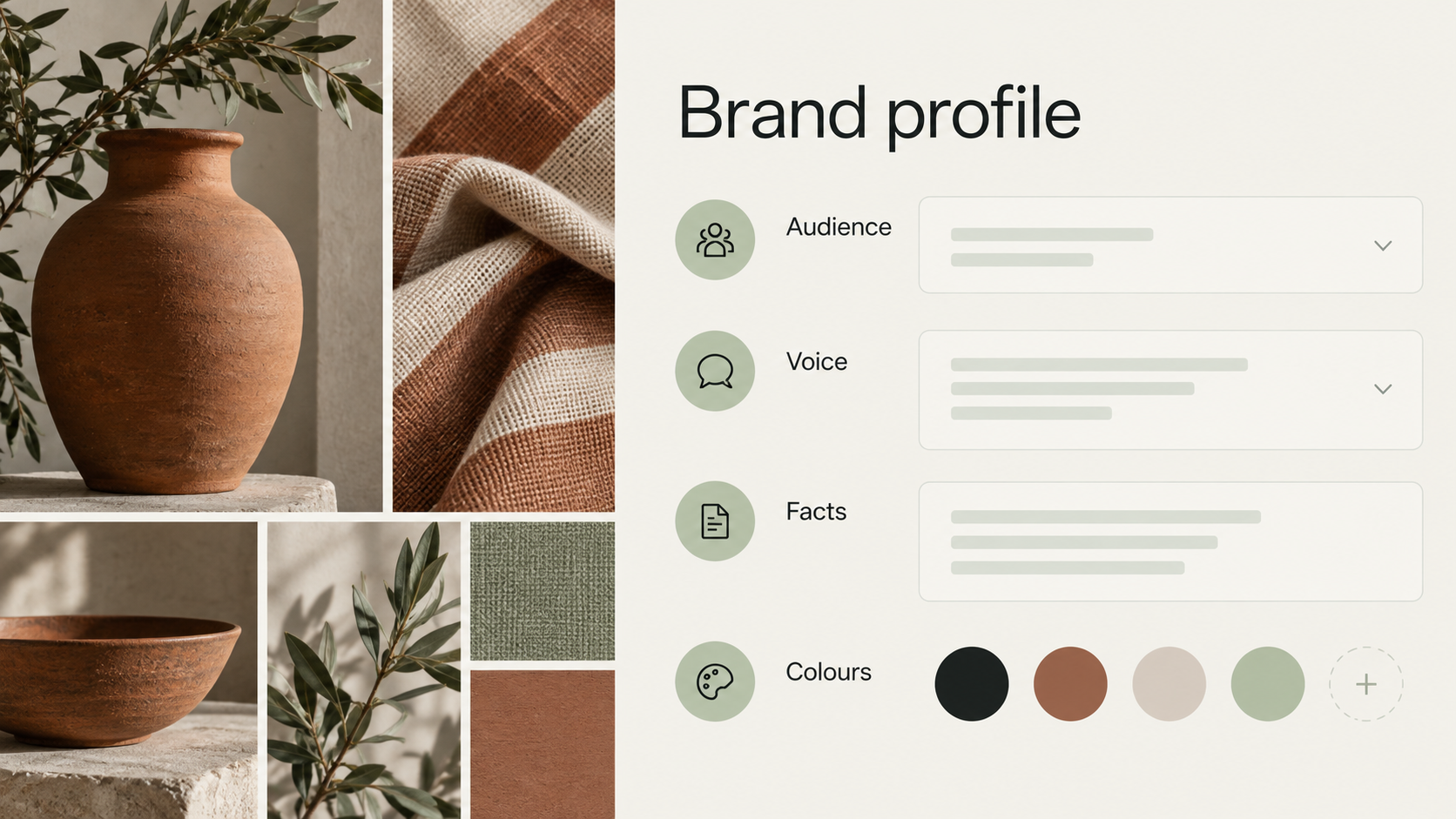
The brand profile brings together information that would otherwise need to be repeated in separate tasks. Define the audience, communication voice, content language, visual guidance and working rules. References and the fact archive provide a concrete foundation for statements about the business, its offer and its services.
A design company might specify a restrained, precise tone, identify its materials and include approved descriptions. When preparing a post or article, the team draws on this context and adds the specific campaign objective. That gives different formats a consistent starting point, including when several people are involved in reviewing the work.
A useful profile is an implementation deliverable in its own right. Agree which claims are supported, which expressions to avoid and who is responsible for updating facts. The studio uses the information supplied; the business maintains its accuracy. New markets call for a review of terminology and communication nuances. A shared profile provides an agreed foundation while leaving editors room to assess each individual asset before it is published.
- Audience and communication tone
- Approved facts and references
- Colours, language and content rules
From a first idea to a published result.
Each asset has an understandable status, a place for preparation and a next step.
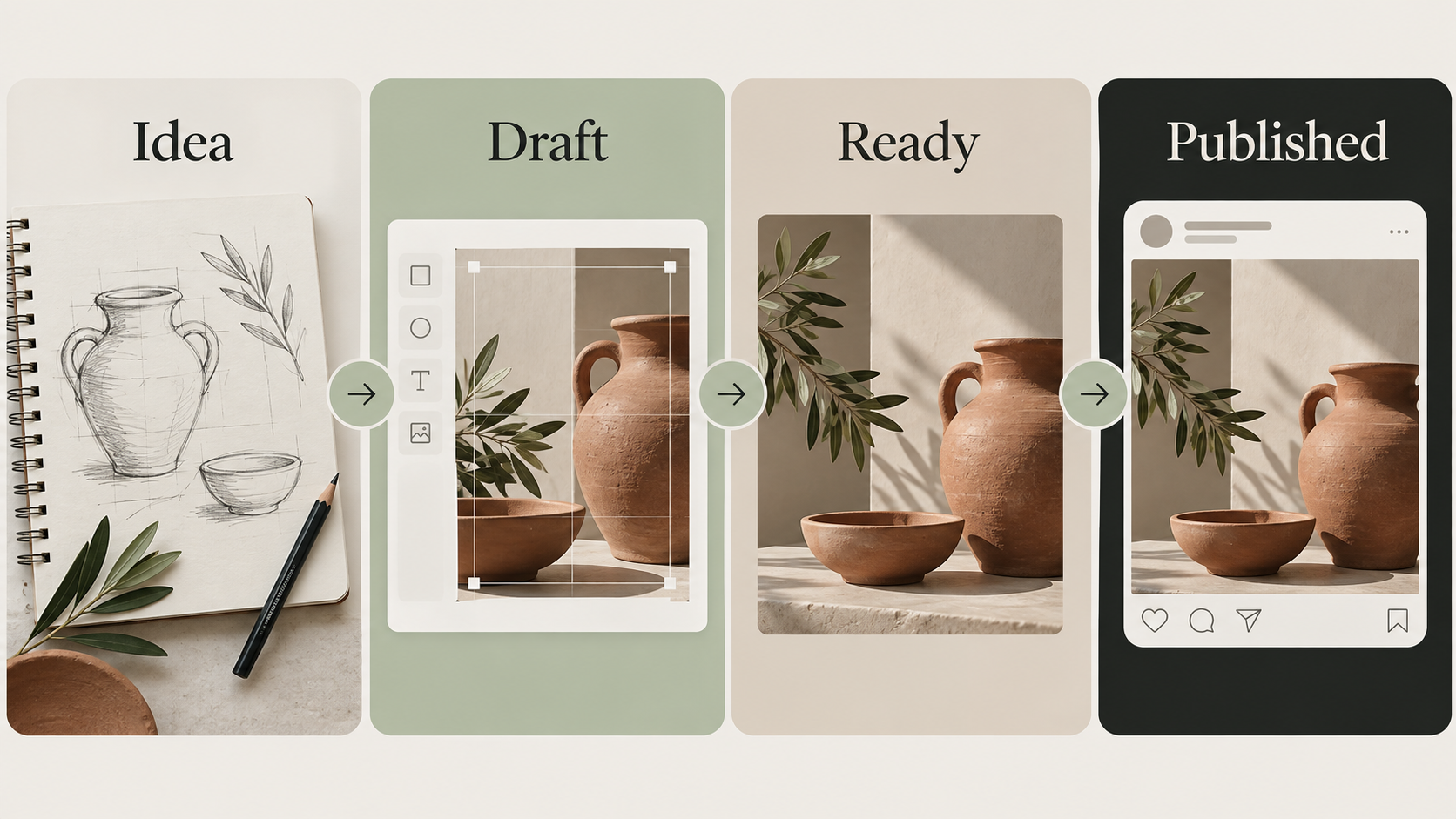
The workflow begins with an idea and moves into a draft. The team refines the brief, prepares copy and media, then reviews the result. A ready status separates preparation from the publishing task. Published content can carry a result link, while material that is no longer relevant can be archived.
This sequence is useful when several campaign assets are being prepared at once. A creator can see what still needs work, while the person responsible for distribution focuses on ready material. The platform variant and publishing destination are chosen for the relevant channel. Readiness does not have to be inferred from a filename or a separate conversation.
During implementation, the business defines how this flow fits its review practice. Existing permissions cover creators and administrative levels; additional sign-off requirements belong in the customisation scope. The result is a visible sequence with explicit decision points: review the content, select its destination, check the schedule and publish. Each point helps the team understand its responsibility and gives a campaign a repeatable route to completion.
- Idea
- Draft
- Ready
- Published
One campaign. More ways to tell it.
Images, image series and short video adapt an idea to different publishing contexts.
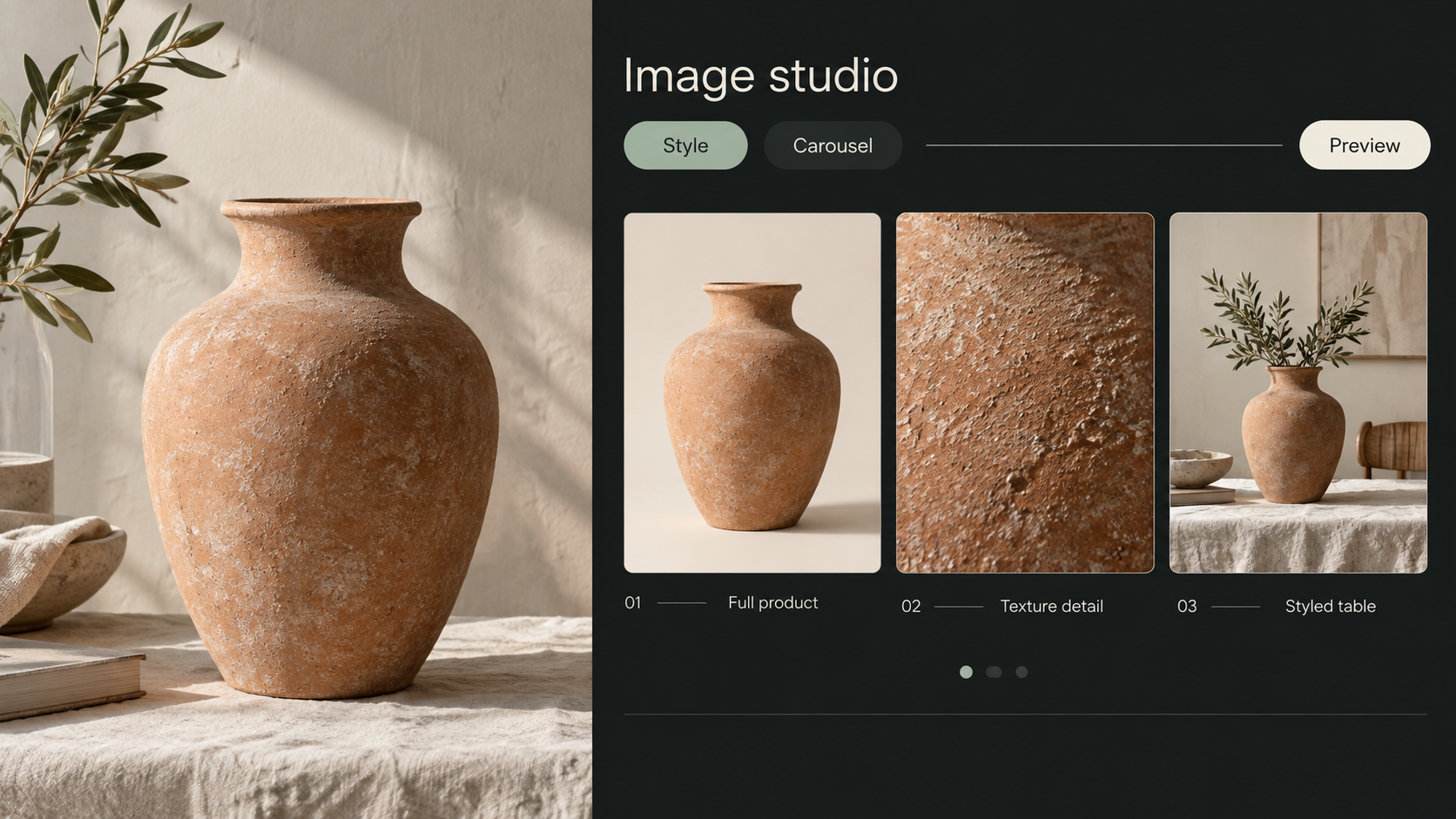
Creative work begins with a selected format and a specific brief. The studio supports individual images, image series and several video formats. Brand context and visual references establish a shared direction, while the copy and composition of each asset are reviewed for their intended destination and viewing size.
For a design business, a single image might introduce a collection, a series reveal its details, and a short video add movement to the campaign. These assets can be prepared within a common environment. The team selects a suitable result and checks that it represents the product accurately, retains the brand's character and remains clear on a smaller screen.
Configure the generation services and spending limits required for the chosen formats. An implementation trial uses representative business examples to establish practical quality criteria. The images in this catalogue illustrate the underlying features through individually designed presentations. The customer's visual identity, templates and creative instructions are agreed separately, using actual materials and publishing requirements as the basis for the final configuration.
- Individual images and image series
- Brand references and creative instructions
- Preview and editorial review
Give the visual a voice.
Voice, music and subtitles help a video communicate clearly in its intended channel.
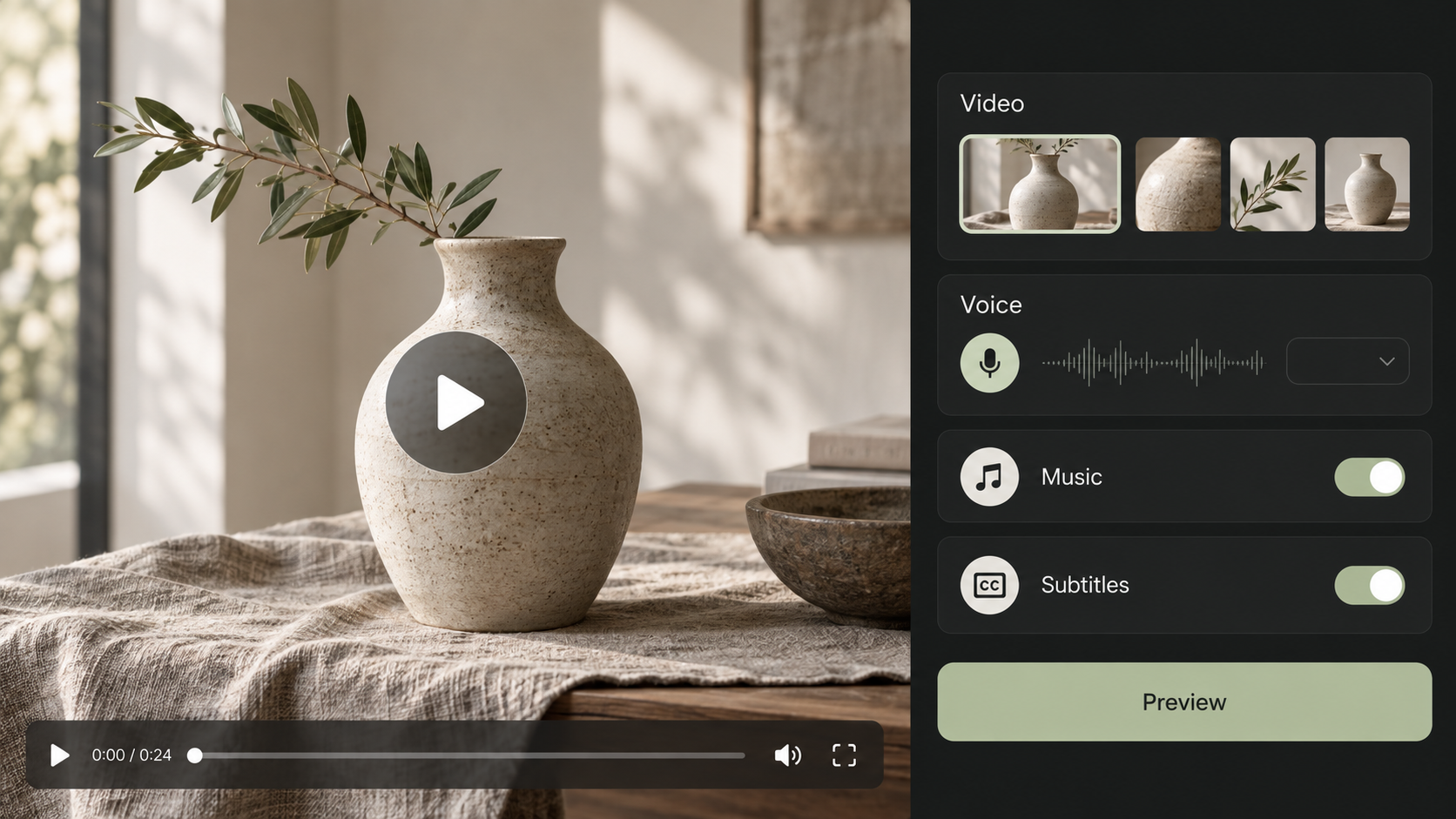
Video work can use slideshows, clip-based video and short fully generated video of up to ten seconds. Avatar video requires the relevant external service connection. Choose the format to suit the job: showing a product selection, introducing a campaign or delivering a short spoken message.
Voice and music controls, subtitles and a voice library bring the parts of the asset together. The team reviews pronunciation, wording, audio balance and the relationship between sound and image. A collection introduction, for example, can include a short voiceover and subtitles so that its central message remains understandable when the viewer leaves sound off.
Implementation includes checking the selected language and the company's terminology with the chosen voice. Format availability and output depend on the configured services, so trials use the actual connection intended for delivery. The business also reviews rights to the audio and media it uses. The studio places these preparation controls within the content workflow, allowing the team to assess the complete asset before handing it to a publishing channel.
- Voice, music and subtitles
- Slideshows, clips and short video
- Voice library and language checks
Turn product data into creative material.
XML and CSV feeds bring existing photographs, prices, categories and availability into the studio.
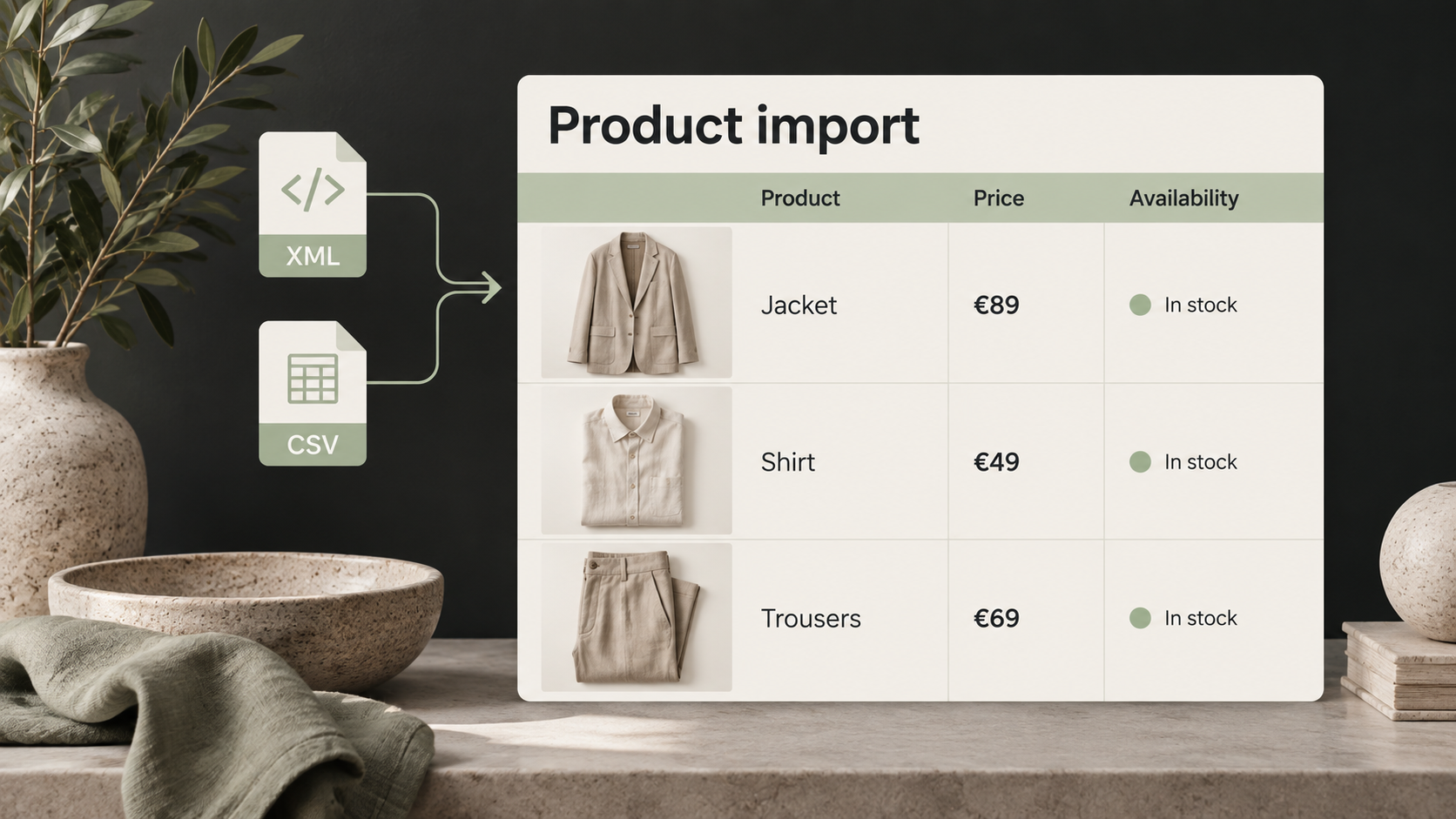
A product feed connects the retail assortment with content preparation. Source photographs and structured fields support selection and composition. This reduces the need to move each image and price manually into a creative brief and maintains a useful link to the product behind the finished asset.
Before production starts, agree field mappings and check an imported sample. Prices, categories, links and availability must have a clear meaning in the destination workflow. If a size, colour or another attribute is absent from the source, it is not invented. The business defines which information is reliable for publication and how frequently the source should be refreshed.
In a seasonal clothing scenario, the team imports the assortment, selects relevant products and prepares material using their photographs and currently stored prices. Pre-publication data checks depend on the information available in the studio. Source maintenance and responsibility for updates are therefore as important as the creative template. A well-defined import gives recurring content work a usable foundation and helps the team trace its output back to known product records.
- XML and CSV sources
- Photographs, prices, categories and links
- Source quality and refresh arrangements
Select the range. Shape the composition.
Single-product, two-product and group modes match the asset to your chosen assortment.
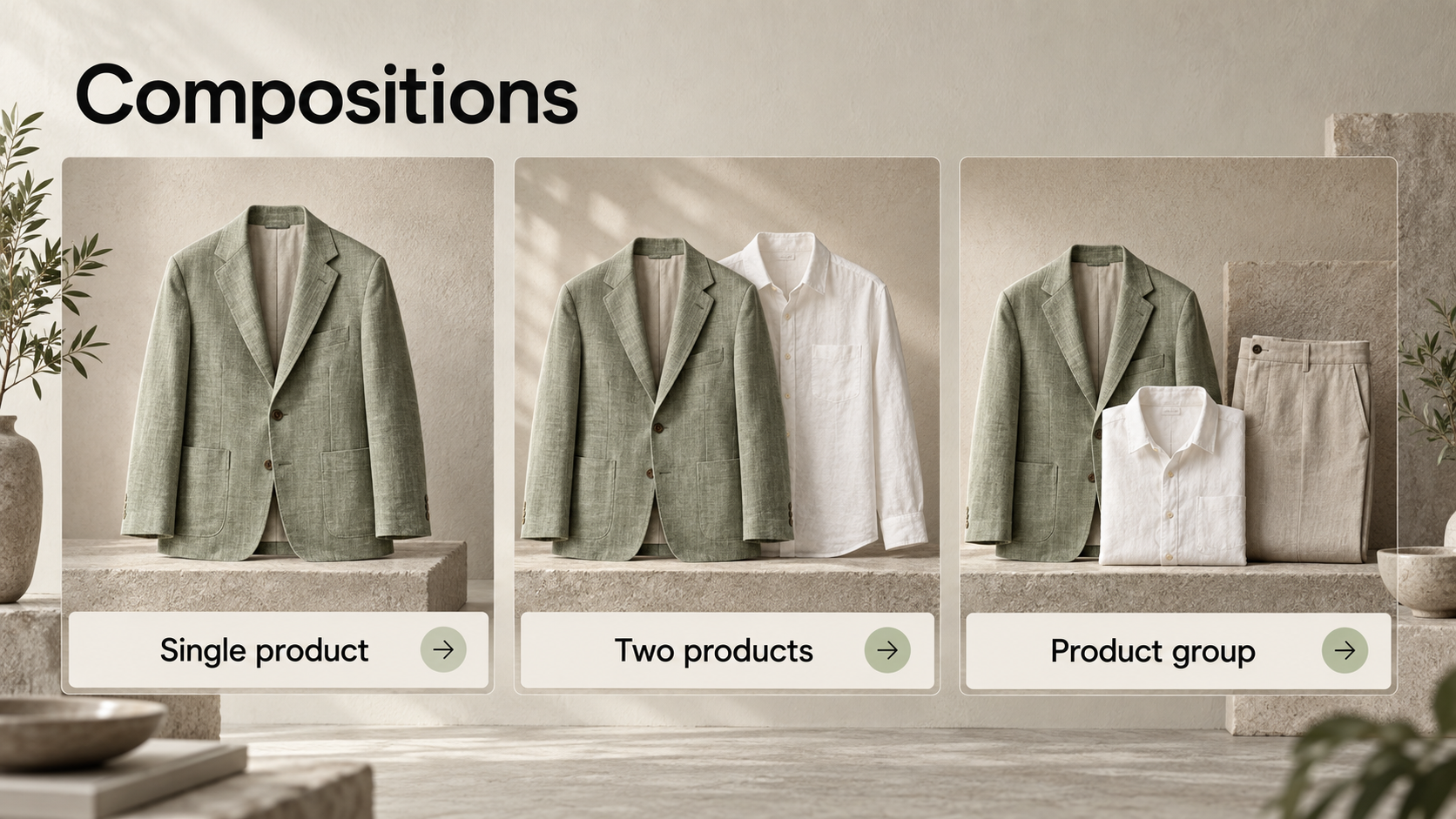
The product studio offers filters for new arrivals, sale items, last sizes, availability, video and categories where the source data supports them. Start with one product or create a combined asset for two products or a group. Selection turns a broad assortment into a deliberate campaign rather than an arbitrary set of photographs.
Composition controls include style choices, custom wording, price display and logo guidance. Use the preview to assess hierarchy: which product leads, whether the copy is legible and whether the price supports the offer. Review the material before moving it into the wider content workflow.
A clothing retailer can build a seasonal selection and then highlight one product separately. The same data foundation supports distinct creative outputs. During implementation, business examples are used to test long product names, varied image proportions and local price formats. These practical criteria inform template adjustments. The team can then prepare material with a more predictable visual structure while still choosing the products and message that matter to the particular campaign.
- Single-product composition
- Two-product arrangement
- Product-group material
Prepare campaigns from defined rules.
Product feed events turn recurring content tasks into organised groups of drafts.
Campaign rules connect product feed changes with content preparation. The business defines which events matter and what group of assets should be prepared for them. This organises recurring work around actual assortment changes while keeping the resulting drafts available for the team's review.
For example, an updated seasonal selection can become the starting point for several related pieces of content. A rule prepares work for its configured scenario. Destinations and schedules are managed in the publishing stage. This separation gives the business understandable responsibilities for preparing ideas, reviewing quality and releasing content to the channel.
Implementation tests each rule with customer data and an agreed spending limit. Check the relevance of the selection, the volume of drafts and the circumstances in which work should be paused or reviewed. Automation becomes useful when the task is precise: when to prepare content, which records to use and who the result is intended for. The team retains control of the rules and can adjust them as its assortment changes or its marketing priorities develop.
- Events in the product feed
- Rules for a defined business scenario
- Reviewable groups of drafts
Publish in your channels, on your schedule.
Platform variants, scheduling and recurring publishing connect ready content with its audience.
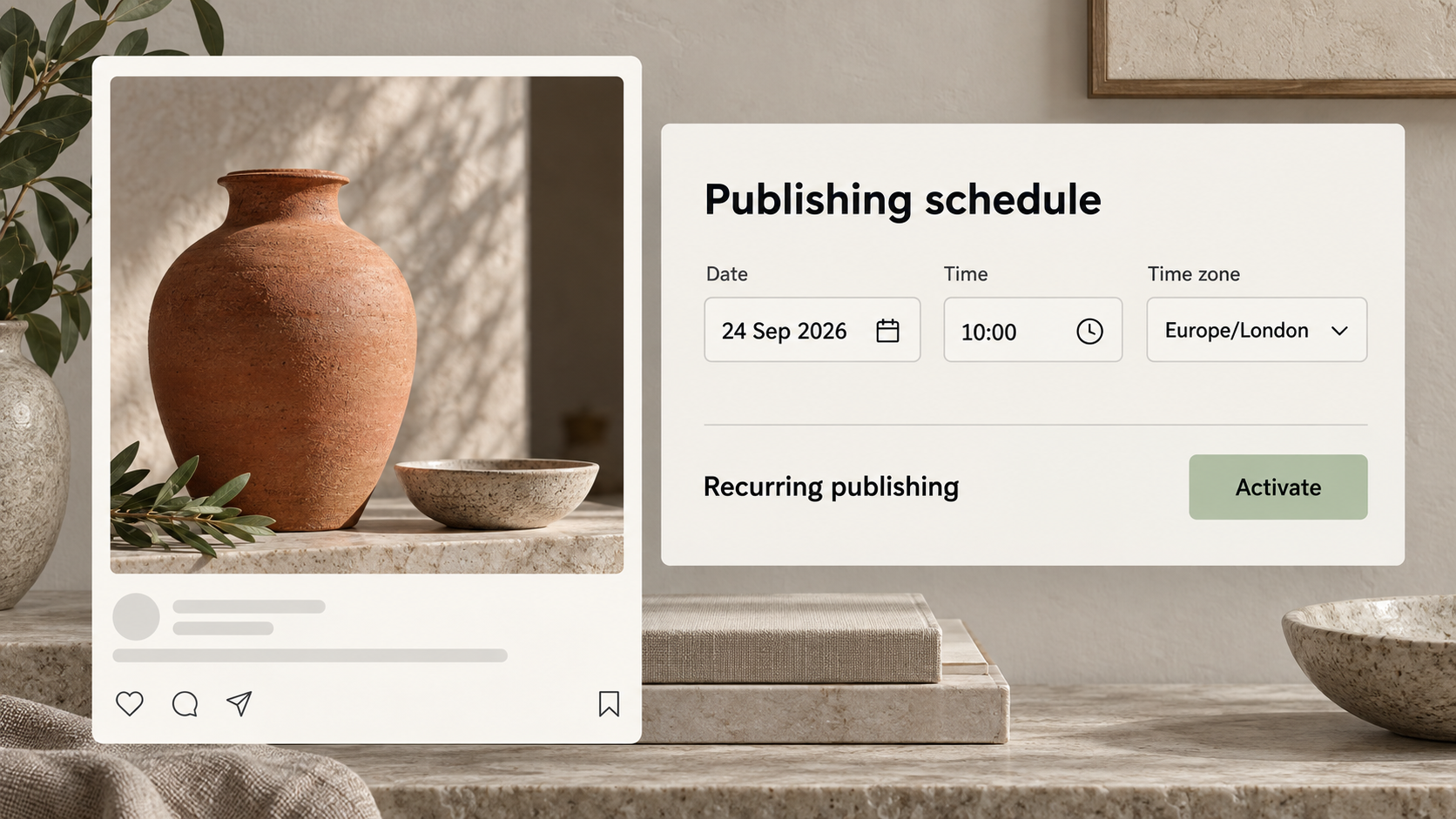
The publishing studio lets the team select a destination and the relevant platform variant. Deliver material by copying text, downloading media, exporting a ZIP package or sharing it. Automatic publishing uses connected profiles and the required service permissions. Customer channels are configured and tested during implementation.
Scheduling includes date, time and time zone. Groups of posts can use spacing between individual entries, and the publishing flow can be paused. Automatic recurring publishing on the configured schedule is an existing feature that can be activated for the business's requirements. Activation is aligned with the content plan and agreed spending limits.
In a working campaign, the team first reviews its assets, then chooses channels and schedules distribution. A result link provides a route back to the published post. The implementation trial checks the customer's actual profiles, permissions, time zone and chosen delivery method. The public result therefore depends on concrete settings and reviewed content, while the routine workload can be organised at a pace suited to the business.
- Date, time and time zone
- Pausing and spacing between posts
- Activatable automatic recurring publishing
Review the content and the facts behind it.
Brand, language, platform and product checks support an informed publishing decision.

Quality review covers several dimensions of the asset: alignment with the brand, language, platform requirements, claims and visual material. Checks and decision history make it easier to understand why a result has been accepted or needs revision. Mandatory blocking conditions can be configured to fit the business's working rules.
For product content with a known source relationship, price, availability and the link are compared with the current stored product data. This helps reveal differences between the prepared asset and information held in the studio. Coverage depends on that relationship and on data freshness; it does not imply a new direct store request before every publication.
During implementation, the team agrees which discrepancies should stop publishing and which need an editor's attention. Seasonal wording might require judgement, whereas an incorrect price requires a data correction. Automated checks support responsible editing. Maintaining business facts, reviewing media rights and making the final content decision remain clearly assigned tasks. This gives the business a practical way to use automation while retaining understandable quality controls.
- Brand, language and platform
- Claims and visual alignment
- Price, availability and product link
From a subject to an article on your site.
The SEO workstream connects article preparation, metadata, translation and publication.

Article work starts with a keyword direction, brand context and an editorial brief. The studio supports metadata, frequently asked questions, structured data and internal links. Quality review helps the team assess the text before it reaches the company website or is delivered through an export.
An interiors brand can prepare an article about combining materials in a room, use approved facts and create versions for its selected markets. Local terminology and wording are reviewed in translation. Articles can be exported as HTML or Markdown and published through a configured website connection. The product audit also verified a public article reached through the studio's publishing flow.
Implementation establishes the destination, how links are handled and which fields the publishing target accepts. Each selected connection is tested with a customer article. These SEO features provide a structured editorial process; search performance also depends on the website, competition and audience interest. Search positions are not guaranteed. The business receives a concrete way to produce, review and transfer articles, with a published result that can be inspected in its destination.
- Articles, metadata and FAQs
- Internal links and structured data
- Translations, HTML and Markdown export
A visible budget for content production.
Estimates, actual spending and budget limits make automation easier to plan.
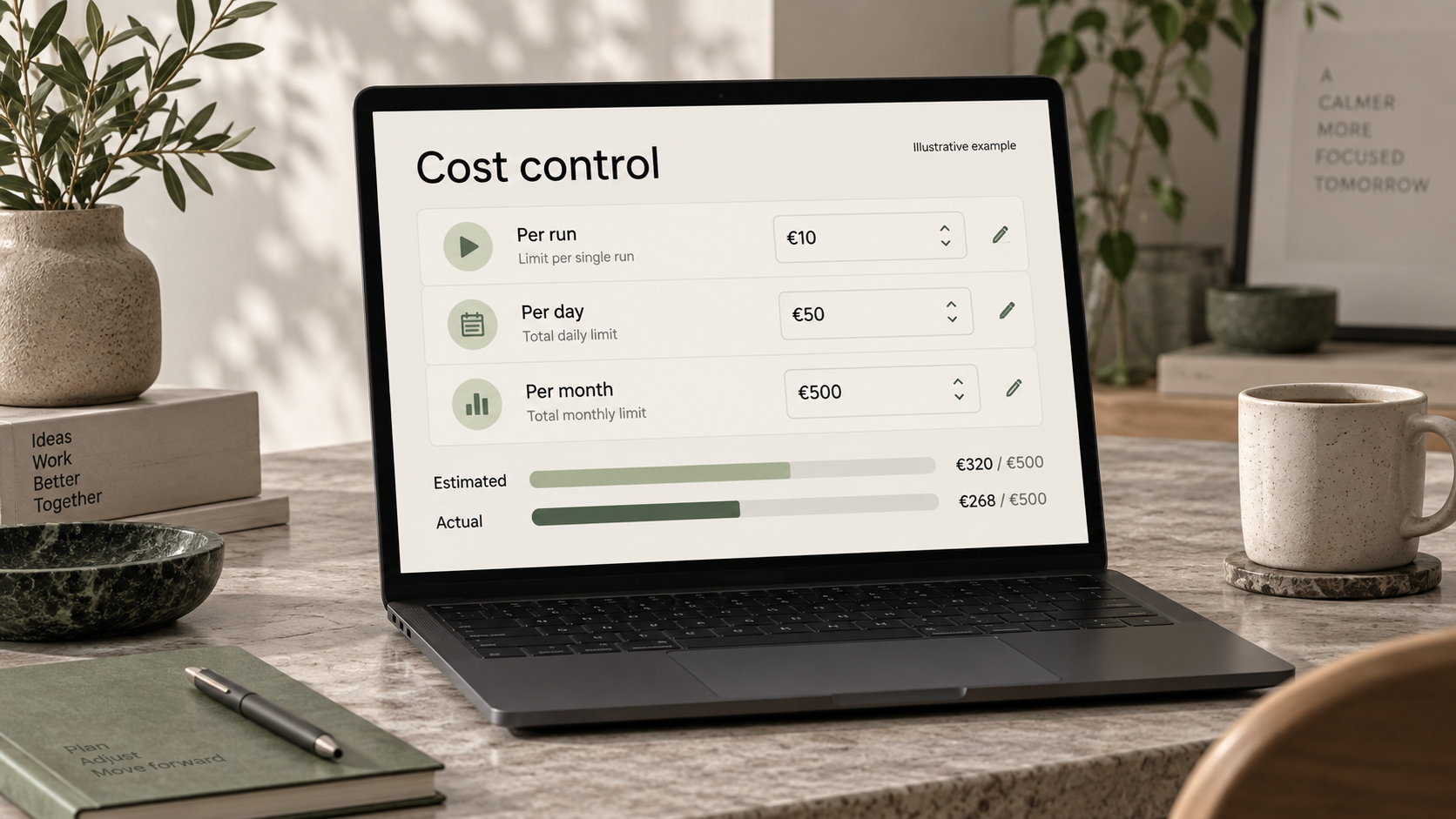
Generation and automation costs are part of everyday production decisions. The studio provides estimates and records actual costs, with budget limits for a run, a day and a month. The business gains a practical basis for choosing its output volume and reviewing more expensive content scenarios.
Performance reporting processes recorded measurements and data supplied by integrations. Availability depends on connected sources and information entered by the team. The overview supports discussion about which assets attract attention and what to test next. Charts and amounts shown in this catalogue are illustrative examples, not customer achievements.
Before activating automation, agree an acceptable budget and measure the consumption of the selected scenario in a trial. Assess the outcome alongside content quality and the team's contribution. This makes it possible to decide where automation has practical value without relying on an invented saving percentage. The handover proposal explains external service charges, maintenance and future development separately, giving the business a clear view of the operating model and the commitments it is choosing.
- Estimates and actual costs
- Per-run, daily and monthly limits
- Manual and integration-supplied measurements
Keep work moving beyond the desk.
A mobile web interface and defined export formats help teams review and hand over content.
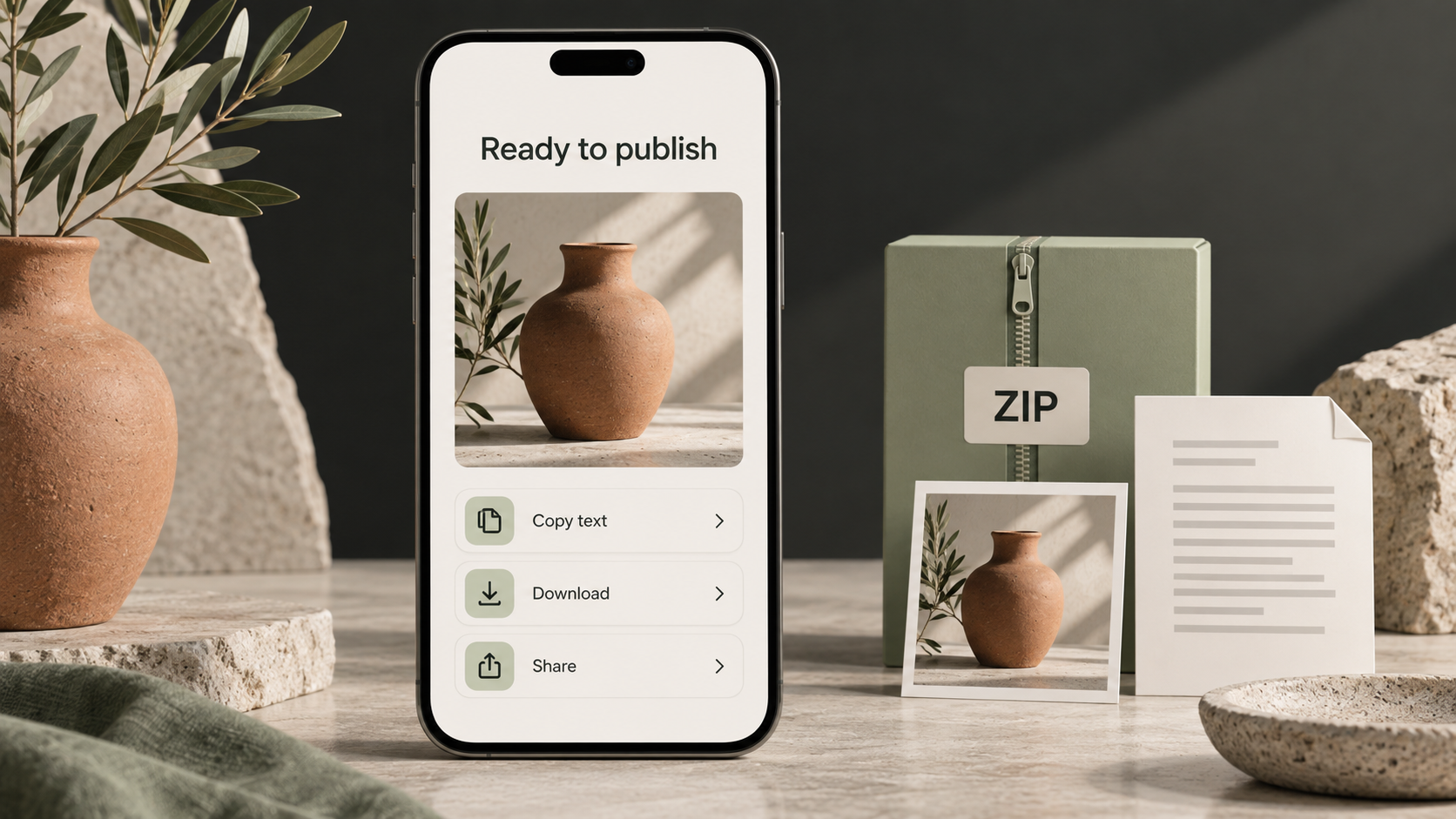
Mobile navigation provides a route to content, asset review and sharing. The web application can be used in an installable form where the device and browser support it. Native sharing behaviour varies, so the customer's actual devices are included in the implementation checks.
Portability includes several formats: CSV lists, account configuration in JSON, publication media in ZIP packages, and articles in HTML or Markdown. A team can hand finished material to a publisher, continue editing an article elsewhere or retain relevant information within its own operating process.
Each export has a specific purpose. Account configuration JSON transfers settings; a complete system and media backup requires its own agreed handover procedure. The scope of code and data delivery is documented together with access arrangements. This supports continued maintenance by the customer's chosen team and use of content outside the studio. Mobile work and export complement the main workflow, preserving an understandable source for each asset while allowing the practical flexibility that day-to-day marketing work requires.
- Mobile browser workspace
- Sharing and media ZIP packages
- CSV, JSON, HTML and Markdown
Your systems. Your markets. Your way of working.
Connections, languages and customisation are selected around actual business requirements.
Publishing connectors are provided for WordPress, Shopify, Ghost, Webflow and a custom receiver, alongside manual export. Implementation selects the required route, configures access and tests the result in the customer's environment. Bespoke API integrations and connections to existing business tools form part of an explicitly defined customisation scope.
A European market example combines English, German, French, Italian and Spanish content. The language set is always adapted to the target audience. The current product interface supports Latvian, English and German; additional interface localisation is defined in the implementation brief. Catalogue language, interface language and generated content language are separate choices.
Customisation also covers terminology, formats, templates, working rules and data exchange. A customer-service system connection, for example, can be specified as an additional extension. Define its purpose and required data permissions before pricing the work. The business receives an adaptable solution with documented boundaries and acceptance criteria. A new channel or market can then be introduced as a testable workflow with its own content, connection and responsible owner.
- Website and publishing connections
- Bespoke API integrations
- Languages matched to target markets
A project your business can take forward.
Source code, data and documentation let you choose who maintains and develops the solution.
Following the agreed handover, the buyer owns the delivered project and its commissioned source code within the rights defined by the contract. The agreement specifies assignment or usage and modification rights, documentation and access to the delivered data. Third-party libraries and external services retain their respective licence terms.
The business can appoint another team for maintenance and development. That team receives the agreed code, configuration descriptions and operating documentation. It can add integrations, adapt content processes and continue development for the customer. Operating expenses, external service charges and support arrangements are explained separately.
Implementation begins with a review of the business workflow, followed by brand and language setup, data connections and a trial. Acceptance checks use the customer's own scenarios; project delivery and team training follow. For the next conversation, prepare a brand brief, product source, publishing channels and a first task. These inputs establish a concrete scope, responsibilities, budget and handover outcome. The result is an ongoing business capability with a defined basis for future change.
- Source code, data and documentation
- Rights defined in the agreement
- A maintenance team of your choice
Define your first workflow
Start with one real workflow to establish a clear project scope.
- Your brand, audience and target markets
- Product data source and existing publishing channels
- First content scenario and acceptance criteria
- Budget limits, access requirements and handover scope