Extensions ArchivBox · Secure
The filing cabinet nobody can open. Except you.
Scan paper with your phone, and ArchivBox recognises, sorts and files it: invoice, contract, payslip, ID. Everything is encrypted on your device before it is uploaded. The service stores only data it cannot read itself.
- End-to-end encrypted
- Passkey in addition to the password
- Scans leave the device only encrypted
- 10 years per CO Art. 958f
Who we built ArchivBox for
For everyone who has to keep documents and does not want to hand them to strangers. Households, the self-employed, small companies, practices.
The household with the pile on the kitchen table
Scan the invoice, done. Amount, due date and QR invoice are read, the reminder comes seven days and one day before. At year end, the tax documents are ready as a package.
The self-employed with record-keeping duties
Receipts, vouchers, bank statements and payslips automatically get their ten-year retention period. The accounting export comes in three formats, straight from the decrypted invoices.
The company with confidential records
Contracts, personnel files, expert reports: documents a cloud provider must not be able to read. ArchivBox cannot, because the key exists only on your devices. Sharing works through links whose key never reaches a server.
What ArchivBox can do
Eight functions from 38 screens. Each one runs on the device, not on the server.
Scan like a pro
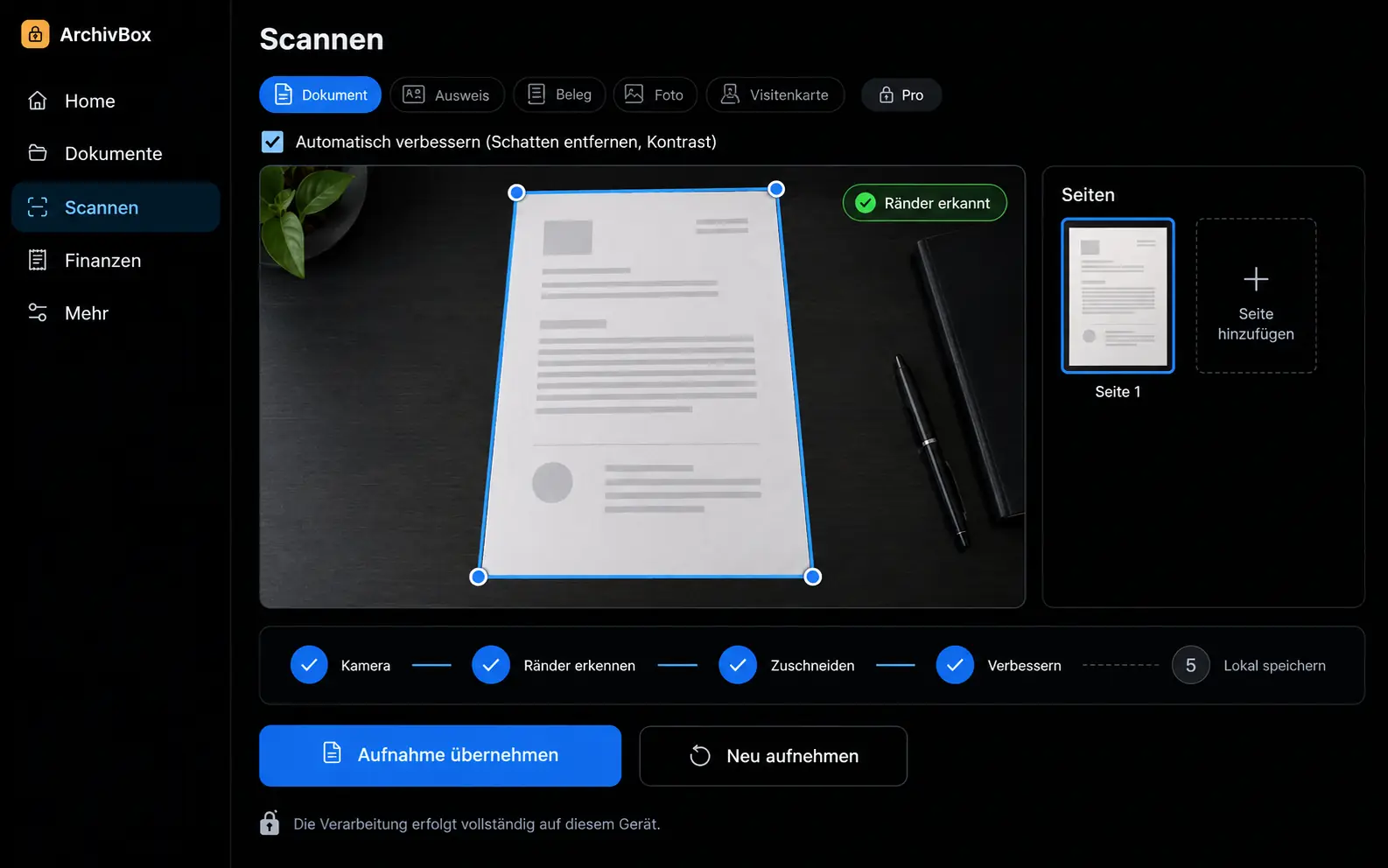
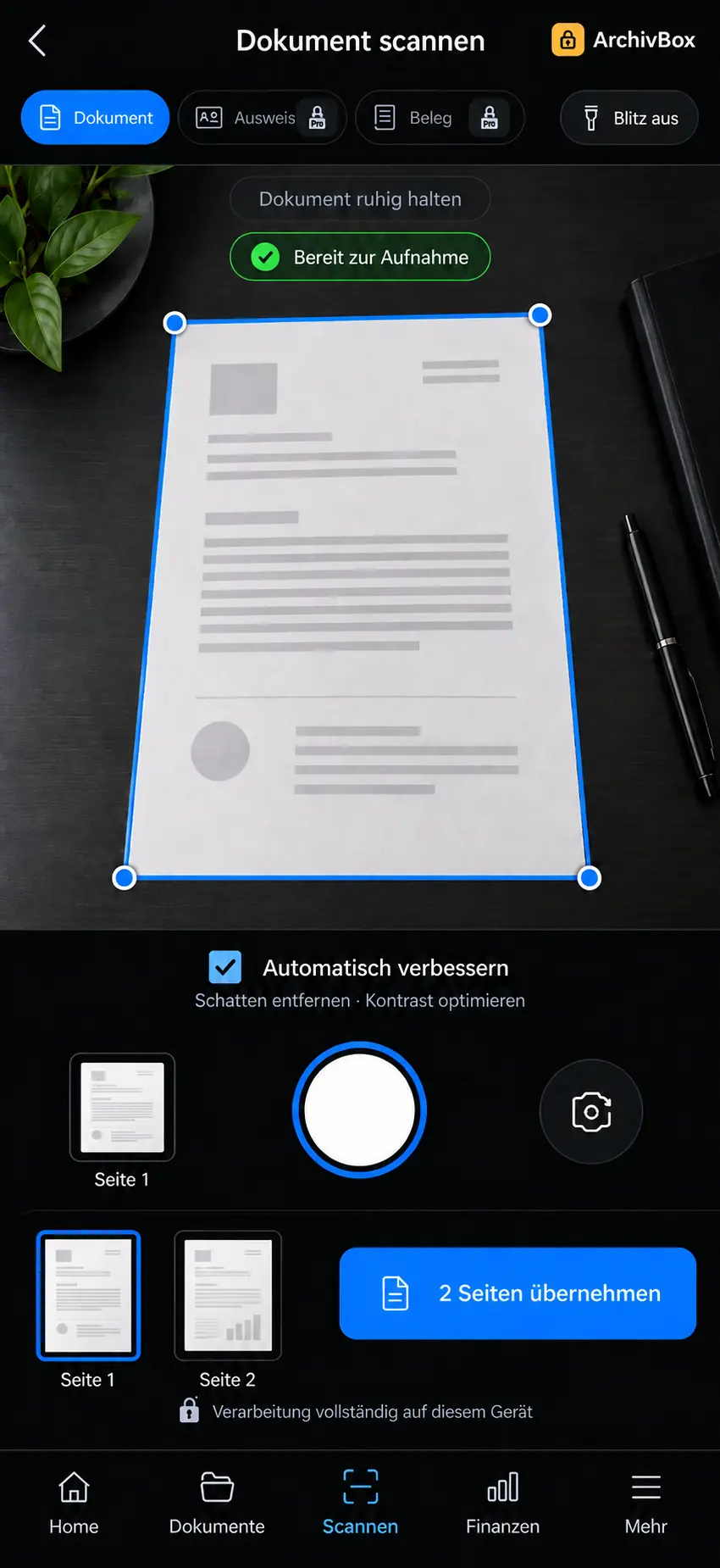
Camera, edge detection, straightening, shadow correction, all on the device. Five modes: document, ID (two sides, one file), receipt, photo, business card. The raw capture is deleted as soon as the encrypted PDF exists.
Text recognition locally, in five languages
German, French, Italian, English and one further language. Recognition runs in the browser, not in a cloud. Swiss official documents are read automatically in three languages. The result sits as an invisible text layer in the PDF.
Classified automatically, without sending images
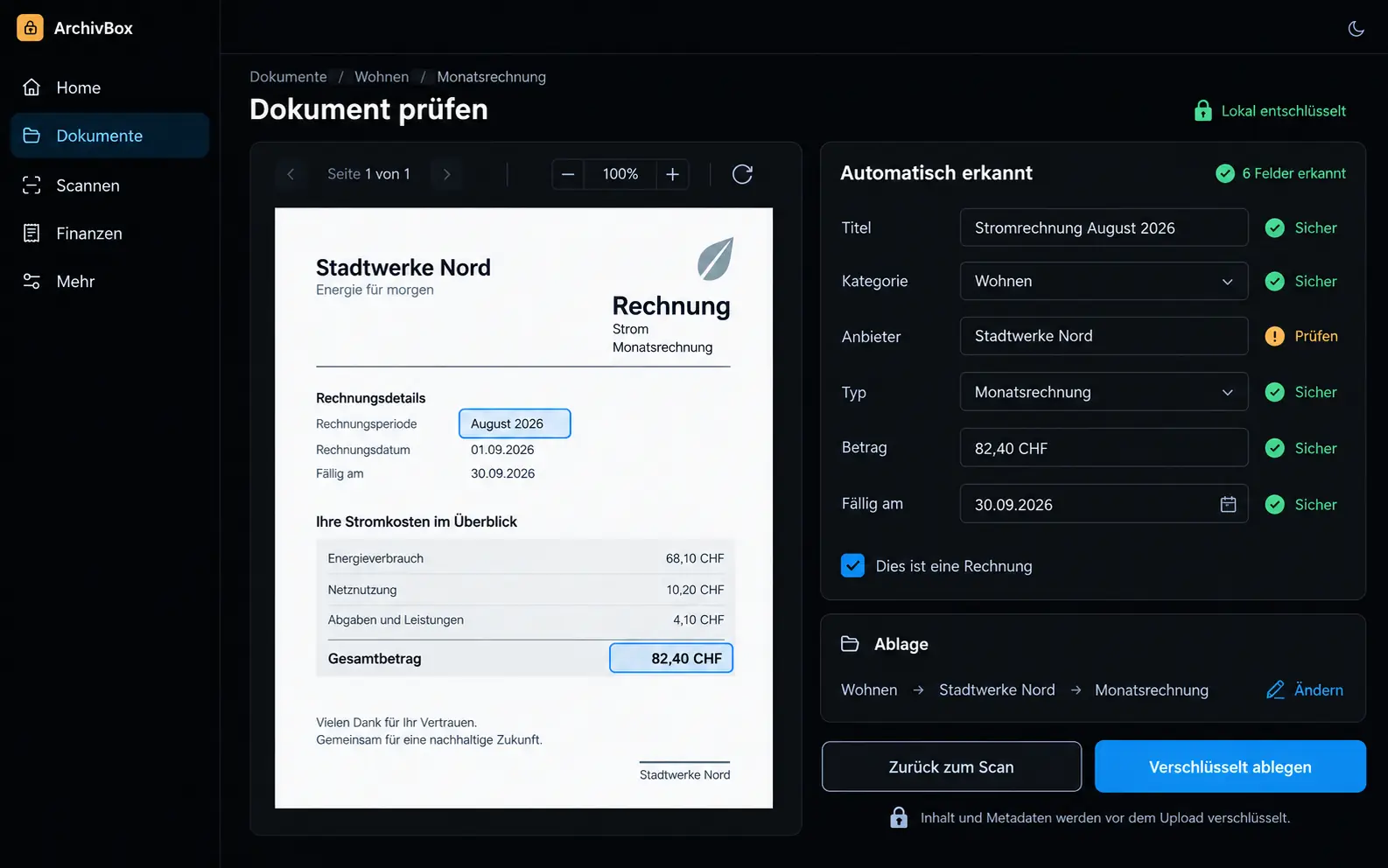
Category, sender, amount and due date are suggested from the recognised text. Only that text goes to a language model from a European provider, never the image, never the PDF. Your own rules override every suggestion.
Invoices and QR invoice
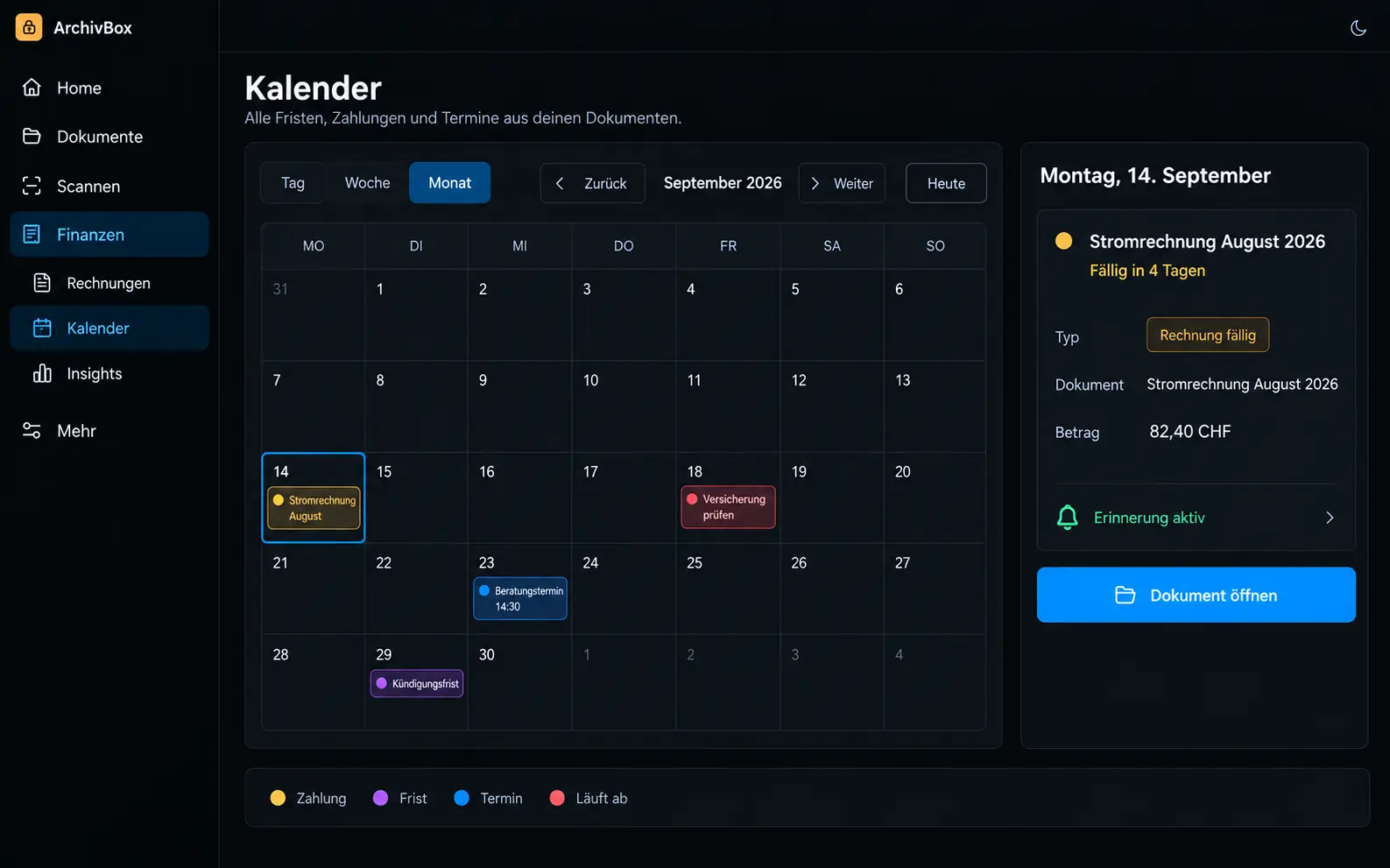
Open, paid, overdue, with reminders by push and, if no device receives the push message, by email. The Swiss QR invoice is read straight from the scan and shown large, so your banking app can scan it.
Search that never reaches the server
The search index is itself encrypted and searched on the device. The service never sees a search term. Plus smart folders, related documents, duplicate detection and assignment to people.
Retention under Swiss law
Invoices, receipts, payroll and tax documents: ten years under CO Art. 958f, contracts indefinitely. Preset, adjustable. When a period expires, you are reminded. Timestamps under RFC 3161 prove when a document existed; only the fingerprint leaves the device.
Share without giving up the key
Share links with expiry, download limit and password. The key is in the link, never on the server. Family vault for up to six people. Emergency access with a waiting period you can cancel at any time.
Edit, export, take with you
Merge, split, rotate pages. Redact passages so that the text layer disappears too. Fill in and sign. Encrypted backup as ZIP, accounting export as CSV, DATEV or Bexio format. You are never locked in.
How a document gets into the archive
Scan or share
With the camera, from the share menu of another app, by file import or by email to your personal inbox address. Emails wait in quarantine until you release them.
Recognise and suggest
Text recognition on the device, then the suggestion: category, sender, amount, due date, retention period. Your rules take precedence.
Encrypt and file
Every document gets its own key, wrapped with your master key. Only then is it uploaded. The server sees date, due date, size, language and paid status. Title, amount and content it does not see.
Find and act
Full-text search, calendar with due dates and notice periods, reminder chains, spending analysis, tax package. All from the archive, all on the device.
Under the hood
Zero-knowledge is an architecture decision, not a marketing word. This is what it looks like in the code.
The key exists only on your device
A random 256-bit master key, wrapped with your password (Argon2id, 64 MiB), your recovery key and, if you want, your passkey. The server stores only wrapped keys and parameters, never the key itself.
Forgotten password does not mean lost data
A 160-bit recovery key in eight groups, with no confusable characters. A password change re-wraps the same master key. Not a single document is re-encrypted.
Only text goes to the AI, never an image
Classification sees only the recognised text; there is deliberately no image path. If the service fails, the document is still filed and classified again later. Your own rules keep working on the device.
Offline is normal
Installable on phone and computer, with an app shell that loads without a network. Recognition, encryption and search run in the browser. Uploading happens once the connection is back.
Complete log
Every action lands in a log that is only appended to, never edited, and that you can inspect yourself. Plus two-factor by TOTP, device management with remote sign-out and a privacy area for export and permanent deletion.
The price of true encryption
ArchivBox says it in its own interface: whoever loses password, recovery key and all backups loses the data. Nobody else can open it. That is not a weakness. That is the proof.
Build-out for your project
What we build on for you
ArchivBox is built as a service with four tiers; many functions above belong to the paid tiers. For your own installation under your name, three things are added, each at a fixed price.
Log with hash chain
Today the log is append-only. For audits we chain every entry to the previous one, so that a gap can be proven mathematically.
AI processing pinned to the EU
The provider is based in Europe; the region is not technically enforced today. We pin it in your installation and put it in writing in the contract.
All tiers unlocked
In your installation there are no tiers: rules, retention, redaction, accounting export and inbox address are open to all your people.
What you see
Scan, document, calendar. Three views that show encryption does not have to be cumbersome.
How you get ArchivBox
As a service with four tiers, from free (100 documents, basic functions) to 200 GB with everything. Or as your own installation under your name, when personnel files and contracts require your own account. Scope and fixed price of the setup are clarified in the analysis.
Own installation
Fixed price after analysis
Analysis EUR 300, credited against the order · from EUR 1'500 in installments
Request analysisQuestions about ArchivBox
The search index is built on your device, encrypted and stored as a single block. When you sign in, it is decrypted and searched in memory. The server only delivers the encrypted block. It sees neither your documents nor your search terms.
Yes, in three ways. A share link with expiry and password for individual documents. The accounting export as CSV, DATEV or Bexio format, which you generate yourself. Or a place in the vault with its own key pair: the vault key is sealed separately for each person and regenerated when a person is removed.
You use the recovery key you received during setup, eight groups of four characters. With it you set a new password, and your documents stay unchanged. If password, recovery key and backup are all missing, nobody can open the data, not even us. That is why ArchivBox reminds you several times during setup to save the key.
More extensions
Which documents are still in your drawers?
Describe what you need to keep and who should have access to it. Within 48 hours you receive an assessment: service or your own installation, and what the analysis would clarify.