Extensions Customer Portal · Operate
One login for your customers. On your website, not on someone else's.
Your customers should find their orders, invoices and messages themselves, without calling. The customer account from our shops is the base: login, orders with invoice PDF, addresses, loyalty points, one conversation thread. From that we build your portal to your workflow, for practices, trades, rentals, consulting.
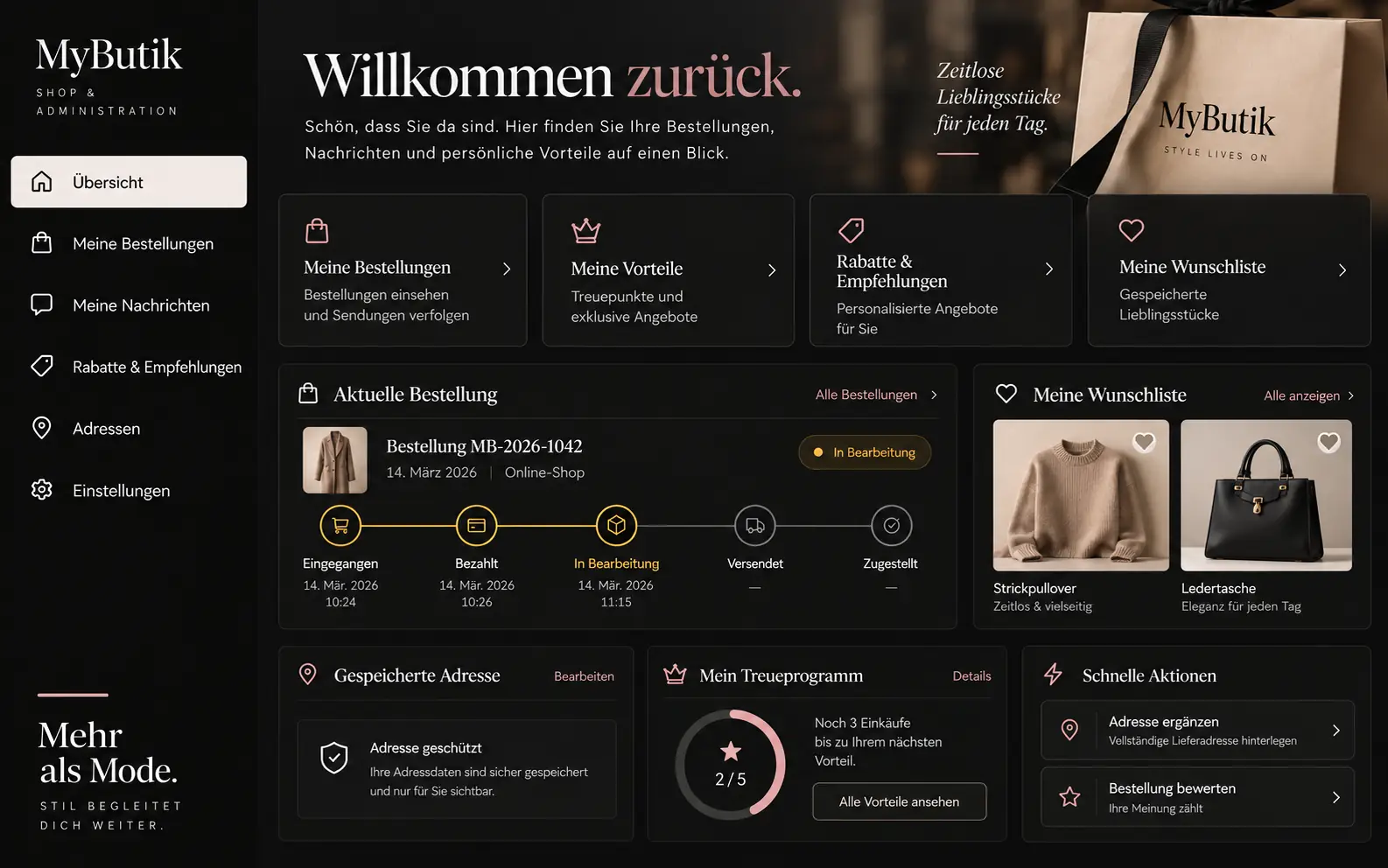
- Runs today in two shops
- Under your domain
- One conversation thread per customer
- Portal to your workflow
Who we build the Customer Portal for
For businesses whose customers keep coming back and keep asking the same things: where is the invoice, when is the appointment, what is the status.
The practice with appointments and documents
Book and move an appointment, upload documents before the visit, collect the report safely afterwards. Today that runs by phone and email; in the portal it runs behind a login.
The trades business with jobs
Approve the quote, see the status of the job, photos of the work in progress, invoice as PDF. Fewer calls, and everyone knows what applies.
The shop that wants more than orders
The customer account is already there. Added to it: loyalty points, referrals, wishlist and a conversation thread where the AI answers first and a person takes over when it becomes necessary.
What is included
Four things run in our shops today. Four we build for your portal to your workflow.
Account and login
Registration with email confirmation, sign-in with password or Google account, lockout after too many failed attempts. Address book, profile picture, consents with opt-out.
Orders and invoices
All orders with status, every invoice as PDF, straight from the admin. Cart and wishlist stay saved, even after switching devices.
Loyalty points and referrals
Points per purchase, balance visible in the account, referral link with credit. Redeem vouchers in the cart.
One conversation thread per customer
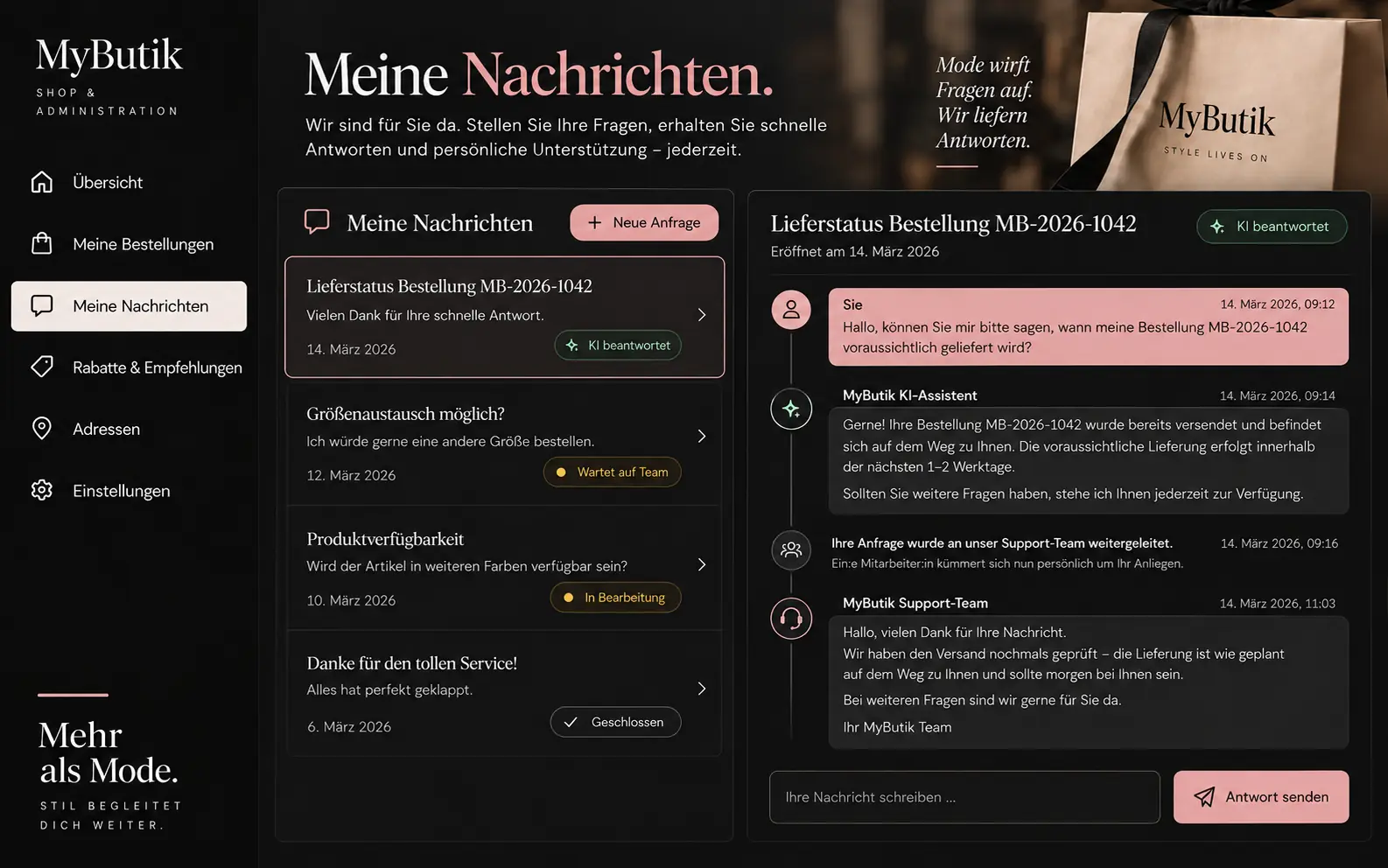
Questions land in a thread, not in the mailbox. The AI answers first with your business's knowledge; when it gets personal, a person takes over, and the customer notices the switch only in the reply.
Documents with sharing
Upload, share with individual people, keep versions. Reports, contracts, quotes. We build it to your workflow, with clear rights per document.
Book appointments
Show free slots, book, reschedule, reminder beforehand. Synced with your business's calendar. Built for practices, consulting and rentals.
Jobs with steps
Quote, approval, in progress, accepted, invoiced. You define the steps; the portal shows customers where their job stands.
Two-factor and passkeys
If your portal carries confidential documents, a second factor is added: authenticator app or passkey. We know both from our other systems.
How your portal is created
Map the workflow
Who signs in, what does that person see, what may they do, what do they trigger. We map that in the analysis, in your words.
Set up the base
Account, login, invoices and conversation thread come from the building blocks of our shops. That stands in days.
Build your part
Documents, appointments, jobs or whatever your workflow needs. At the fixed price from the analysis, with a preview before it goes live.
Hand over
Under your domain, on your account, with an export of all data at any time. Your customers notice nothing of the switch.
Under the hood
A portal with customer data behind it must not promise anything it does not keep. So here is what runs today and what we build.
Everything behind the login is locked first
Without a session, nobody reaches an account page. An account sees only its own orders, invoices and messages.
Failed attempts are slowed down
After too many wrong passwords the portal locks for a while. Sessions expire. Signing in with Google skips the password entirely.
The thread forgets nothing
Every message is attached to the customer, with status: AI replying, waiting for a person, person took over, closed. In the admin, the team sees all threads in one inbox.
Your domain, your account
The portal is part of your website, say your-company.ch/account, not a third-party service with a logo in the bottom right. It runs on your own account at the edge.
All data exportable at any time
Customers, orders, messages, the whole database: as CSV or file from the admin, whenever you want.
What the log can do today
Changes in the admin are appended, not edited. Who viewed or downloaded what is not recorded today; for portals with documents we build that on.
Build-out for your project
What we build for you
The customer account is the base and it runs. The portal on top is created per project, because every workflow is different. Three building blocks we add most often, each at a fixed price.
Documents with rights
Upload, share, keep versions, with a log of who saw what and when. For practices, consulting and everyone who hands over reports securely.
Appointments and jobs
Free slots, booking, rescheduling, reminder. Or job steps from quote to invoice, with approval by the customer.
Second factor
Authenticator app or passkey for portals with confidential documents. And sign-in with further accounts, if your customers use them.
What you see
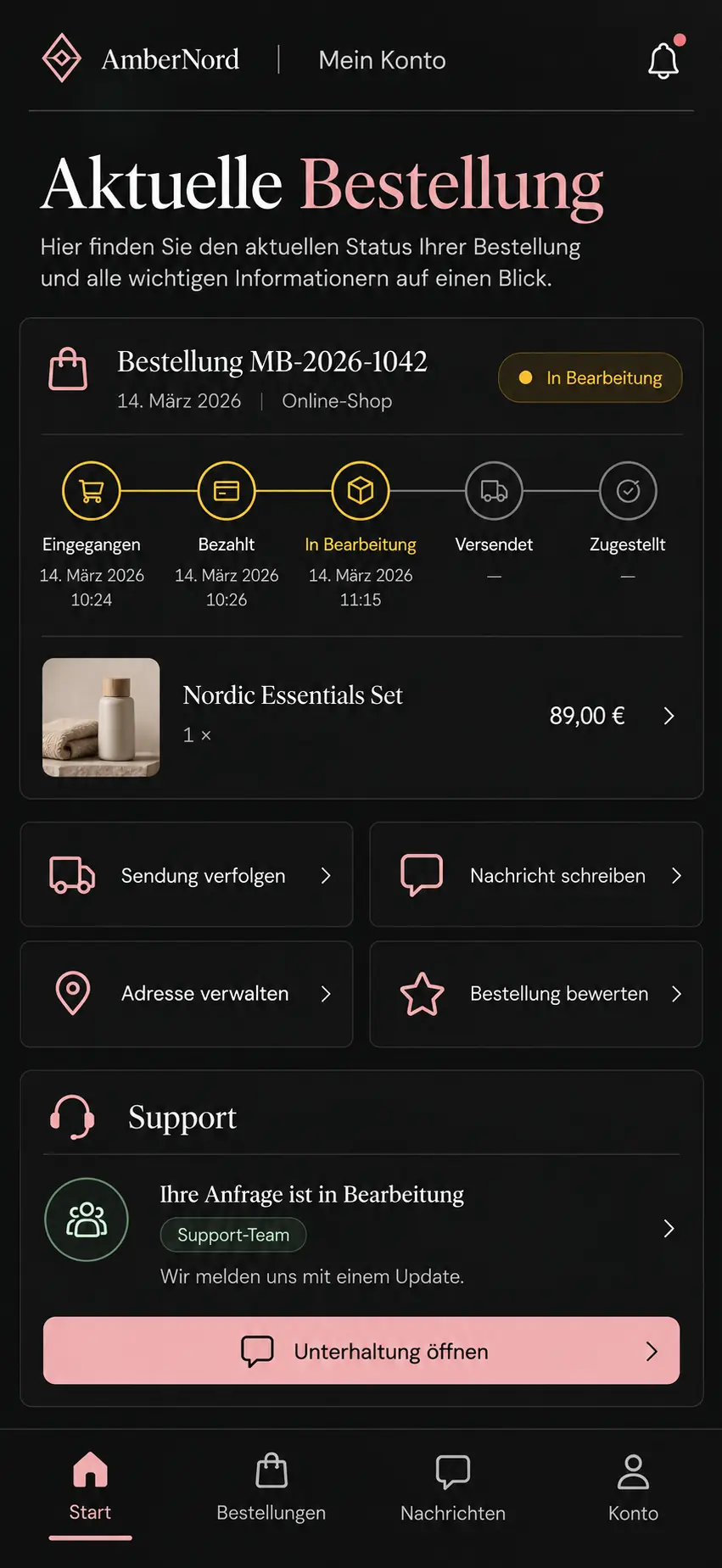
Account, conversation thread, phone. Three views from the live customer account.
How you get your Customer Portal
The customer account is included in every shop package. A portal with documents, appointments or jobs is a project of its own: we map the workflow, set up the base from the building blocks and build your part on top, at the fixed price from the analysis.
Portal
Fixed price after analysis
Analysis EUR 300, credited against the order · from EUR 1'500 in installments
Request analysisQuestions about the customer portal
Yes. The account with login, messages and documents needs no shop. It is attached to your existing website under your domain, say your-company.ch/account.
On your own account with the hosting provider, in your database, with a daily backup to your storage. We have access while we provide support, and hand it over at handover. Exactly where the database sits is set out in the concept.
Yes, with the knowledge of your business that you have released: opening hours, products, processes. As soon as a question gets personal or the AI is unsure, the thread goes to a person, and the customer keeps seeing the same conversation.
More extensions
What do your customers ask most often?
Write to us with the three most frequent questions your customers ask today by phone or email. Within 48 hours you receive an assessment of which of them a portal can answer and what it costs.